

Teach it once.
Every time you open Claude, you start from zero. Here’s how to end that.

TL;DR Claude doesn’t remember you between chats. Skills fix that - teach it once, it knows every time.
Three ways to build one: from scratch, chat-then-package using skill-creator, or screen-record your workflow and let Claude analyze it (works for whole teams too).
Warning: Don’t download skills from strangers. One exception: official tools from verified publishers like Anthropic. Curated list at brisk.vision/skills.
Last week: the spectrum. Prompt → skill → scheduled workflow. Skills are the lowest-friction entry point. No Pro subscription, no desktop app, just Claude chat.
This week: what to actually do with that.
1 - Claude doesn’t know you.
Not a complaint. A fact worth sitting with.
Every time you open a new chat, Claude starts from scratch. It doesn’t know your writing style. It doesn’t know your brand colors, your format preferences, your constraints, or how you’ve told it to structure things a hundred times before. You either re-explain all of that, or you accept output that doesn’t quite fit.
Most people compensate without realizing it. They keep a notes document with their “Claude context” that they paste at the start of each session. They retype the same instructions in slightly different words every time. They get inconsistent output and blame the tool, when the real issue is they’re asking Claude to remember something it has no mechanism to remember.
This is the problem skills fix. You teach Claude who you are once. It knows from then on.
2 - What a skill is. And what it isn’t.
A skill is a saved instruction set that lives inside Claude. When you activate one, Claude already knows the job before you type a word: the format, the context, the constraints, everything you’d otherwise have to explain. You stop reconstructing. You just start.
Skills live in Claude chat. No Pro subscription. No desktop app.
A skill is not a scheduled workflow. That’s Cowork territory, and it requires different setup. A skill doesn’t run automatically. You activate it when you need it, and it knows what to do.
When to build one: → You do the same type of task more than once a week → You’re re-explaining context that never changes → You want consistent output every time, not output that varies based on how well you remembered to explain things that day
When not to bother: → It’s a one-off task → A single line prompt already handles it → You need it to run on a schedule
On downloading skills from the internet: Don’t. Not from strangers. A skill built by someone else was built for someone else’s workflow. It encodes their context, not yours. Generic output is the best you’ll get from it.
There is one exception: official skills from verified sources. Anthropic publishes skills for specific technical tasks - creating Word documents, PowerPoint decks, Excel files, PDFs. These are technical reference tools that tell Claude how to use a specific library correctly. The people who built Claude wrote them. Same goes for Microsoft’s Azure skills, Supabase’s database skills, shadcn’s component library. When the skill is about the tool and the tool’s team built it, that’s worth installing.
I’ve curated the ones worth knowing at brisk.vision/skills.
- 51 skills across 8 categories, filtered for quality and source.
3 - How to build one.
Two official methods exist. I use one of them. And will teach you a third.
Method 1: From scratch. Open Claude chat. Find the Skills section in the sidebar. Click Add new skill. Write the instruction set directly: what Claude should know, what it should always do, what format to use, what to never do. Name it. Save it.
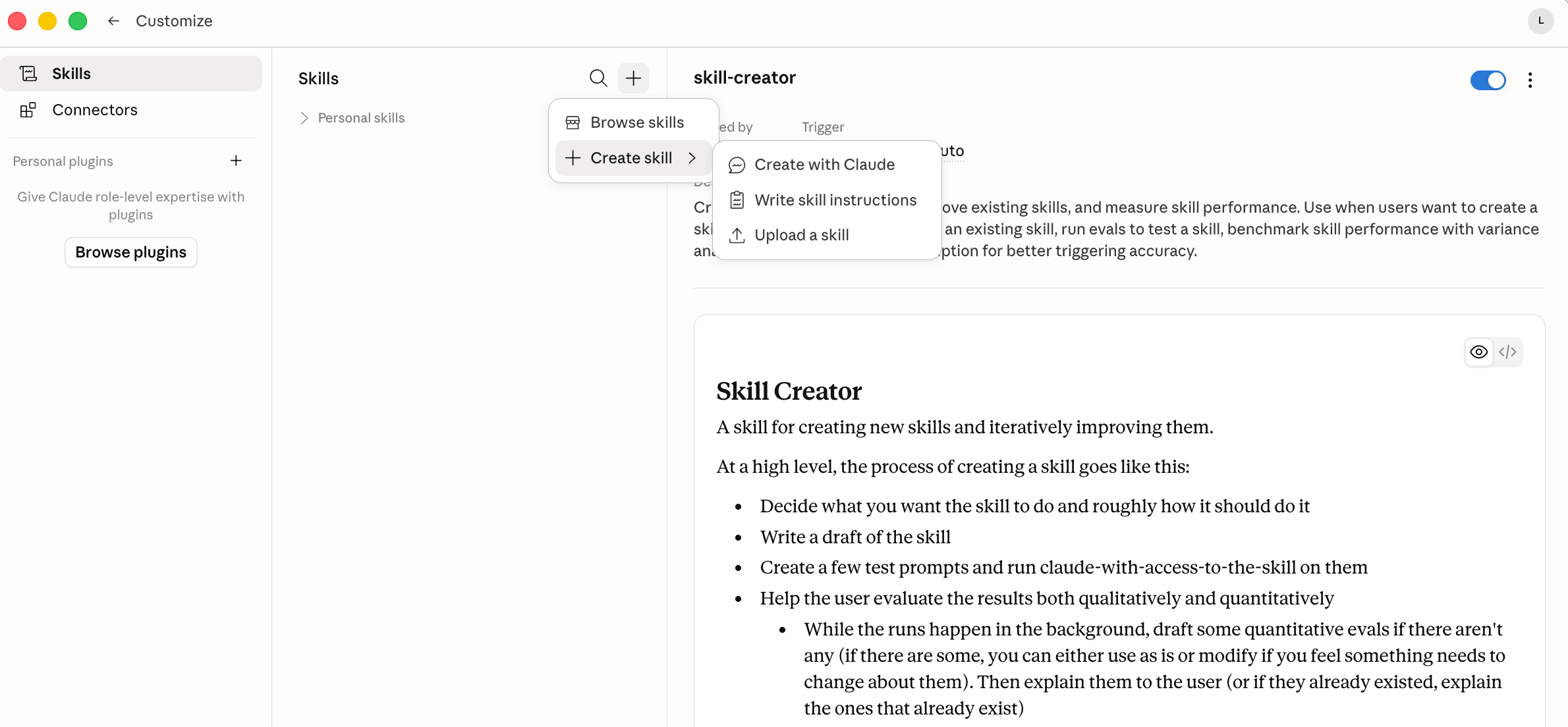
This works when you already know exactly what the skill needs to say. If you’re not sure (and most of the time you won’t be), use Method 2.
Method 2: Chat → get it right → package it.
This is the method I use. The idea: prove the skill works before you save it.
Before you start, check that skill-creator is active. Anthropic ships it pre-installed in Claude Desktop and Cowork. It’s already there when you open the app. In Claude chat on the web, check under Customize > Skills. Skill-creator is what turns your conversation into a properly structured, installable skill file. Without it, you’re formatting that file manually.
The process:
Open Claude. Do the task you want to systematize, normally.
Iterate until the output is genuinely good. Not fine. Good enough to use.
Tell Claude: “Use skill-creator to package everything we’ve worked out as a reusable skill.”
Skill-creator generates a complete skill: trigger description, instruction set, example outputs, correct structure throughout.
Ask Claude to save the skill directly to your account. This skips downloading a file, renaming it, zipping it, and uploading it manually.
Review the saved skill. Adjust anything that’s off.
The main mistake: packaging before the output is actually good. The conversation is the draft. The skill is the published version. Don’t publish a draft.
Method 3: Record → analyze → package.
Most people hit a wall before they even start: they don’t know how to explain the skill. They do the task by feel, not by steps they could put into words.
Here’s what to do instead. Record your screen while you do the task. Save it. Upload the recording to Claude and ask: “Watch this and describe exactly what I’m doing, step by step.” Claude produces a summary of your own workflow. You proofread it, adjust anything that’s off, then use that as the instruction set - and package it as a skill.
This works especially well in a company setting. Instead of trying to write down a team workflow in a document nobody reads, record someone doing it. One screen recording. Claude turns it into a replicable instruction set. You package it as a skill. Now the whole team has access to a process that used to live in one person’s head.
This is how you scale what one person knows to an entire organization. Without a training session. Without a manual. Without anyone having to articulate from scratch what they can’t easily put into words.
4 - What I taught Claude once.
The brisk Instagram carousel skill is the clearest example I have of what this looks like in practice.
Before it existed: every carousel started with me pasting roughly 300 words of context. Brand colors, hex codes, font rules, logo variants per background type, the seven slide roles, overlay opacity logic for dark and light and teal backgrounds, image matching rules, caption format, the non-negotiables checklist. All of it. Every chat. Every carousel.
The skill was built because of one specific moment: the first carousel that came out good enough to post under my name. Not fine. Actually good, by my own standard. That moment made it clear: this process needed to be repeatable. I couldn’t re-explain 300 words every time.
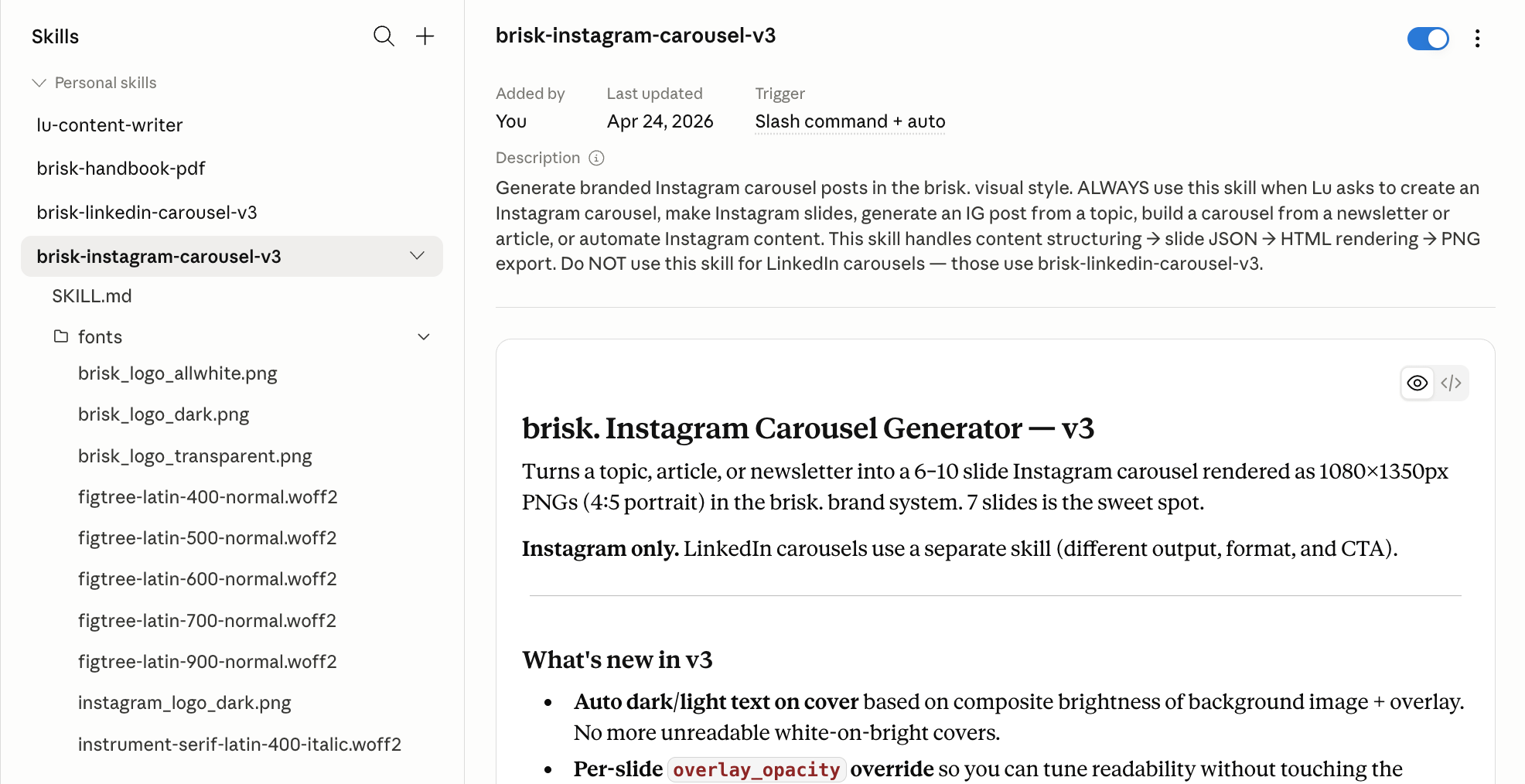
I built v1 using Method 2. How long did it take? About 30 minutes, not 15. The reason: I gave Claude the brand brief (colors, fonts) but not a design example. Without something visual to reference, Claude approximated the aesthetic and I iterated more to get the look right. If I had started with an example slide alongside the brief, it would have been faster.
That’s the thing about Method 2 that matters: time scales with how clearly you can picture the output before the conversation starts. Writing tasks, analysis tasks, structured formats - 15 minutes is realistic. Anything where you’re discovering what “right” looks like as you go: add time for that discovery, because it’s going to happen regardless.
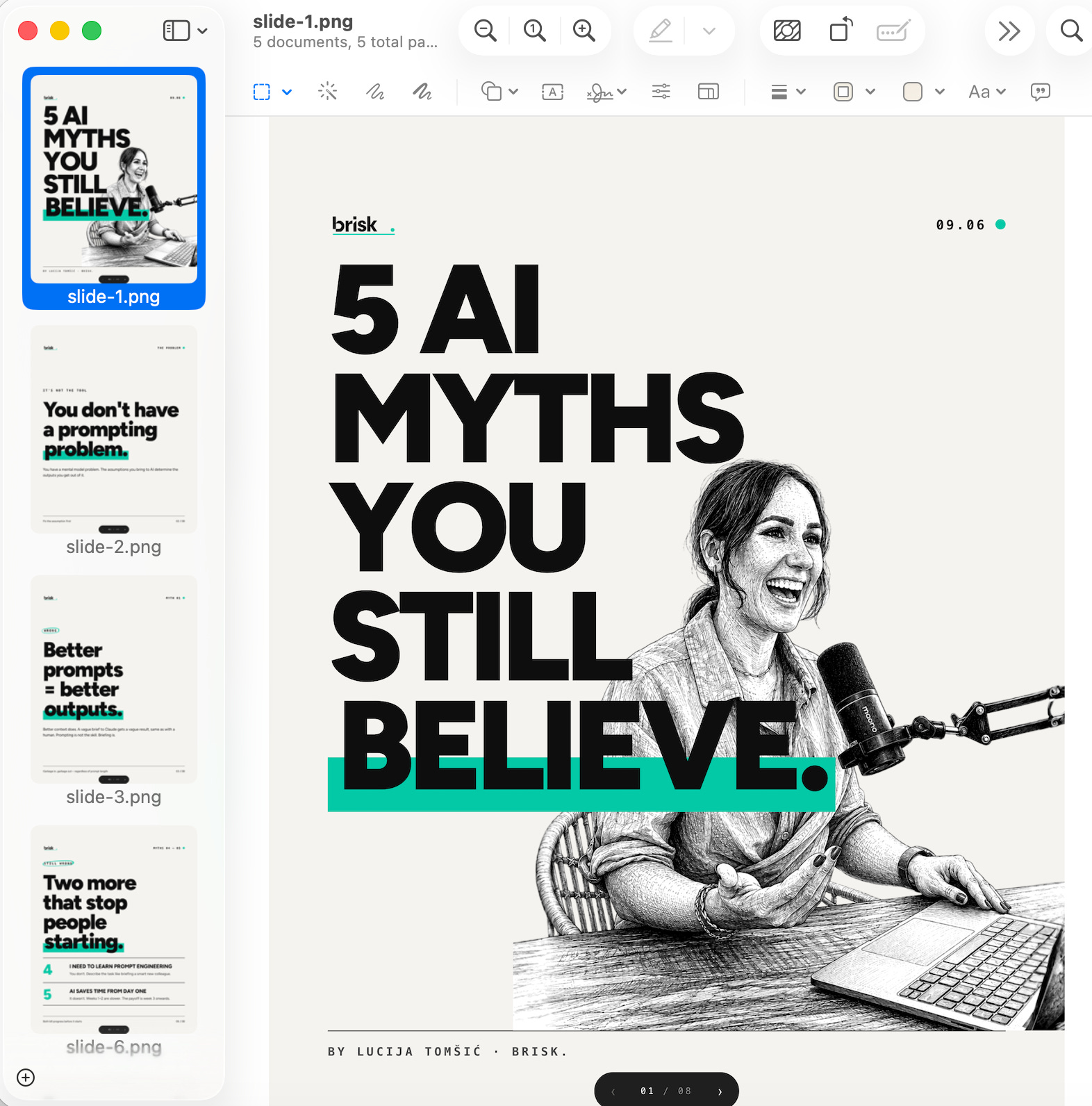
The skill is now on v3. The gap between v1 and v3 was real carousels, specific friction, specific fixes. Text on bright backgrounds was unreadable. The v3 solution was auto dark/light text selection based on composite brightness. Now the skill handles it without manual input. Version 1 worked. Version 3 works better. The iterations come from using it, not from planning it.
If you want to learn how to create your own Carousel skill, I have a whole article on that:

That’s what you’re building. Not the finished version. The first version that’s good enough to use. Then you improve it from there.
Claude doesn’t know you yet.
Teach it once. Open Claude chat. Think of the task you’ve re-explained more than three times. Start the conversation. Get the output right. Ask skill-creator to package it.
If you can’t easily explain the steps, record your screen first. Let Claude watch and describe. Then package what it gives you.
That’s the whole method. The skill does the rest every time you use it.

PS - Let me know how it goes. I encourage you to share ….
Subscribers get all my special resources for free in the subscriber chat.
You are not a subscriber? Change it now!
This article is part of my ongoing series on making AI simple and useful for non-tech people. Subscribe to get future articles on AI tools that actually matter for everyday life. And if you found something that helped you - sharing is caring 😉